Session load time
We aim for a lobby load under ten seconds after credentials are confirmed on a standard Pakistani mobile data connection, keeping the gap between login and first action minimal.
Your 55zh88 account connects you to live casino tables, slot rooms and sportsbook markets the moment you enter your credentials. We built the login flow specifically for Pakistan...
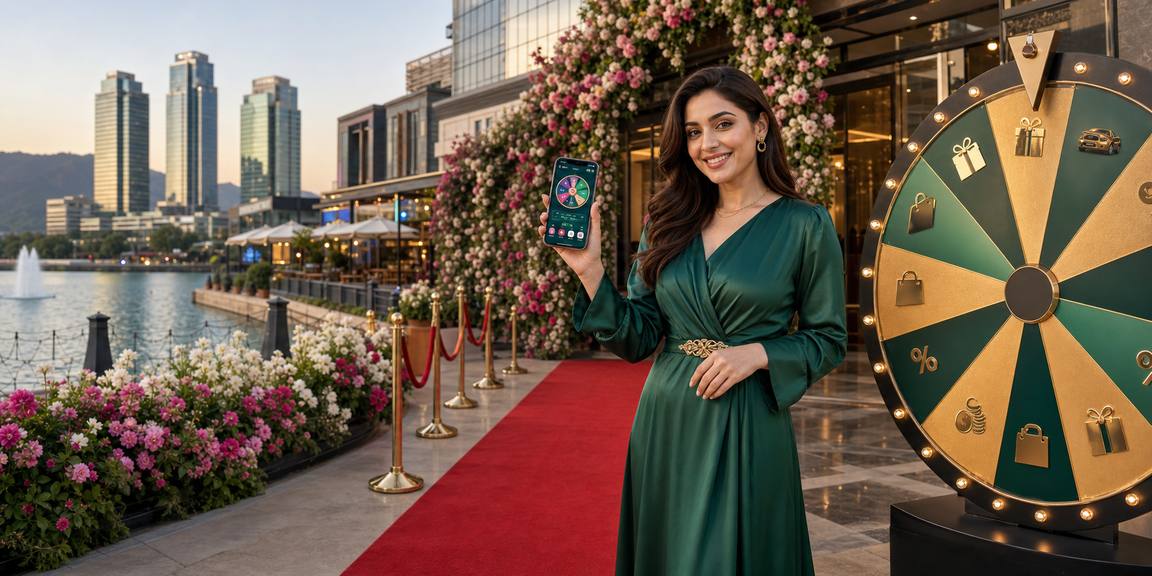
Enter your registered email and password on this page and our system verifies your credentials against your account record in seconds. Once authenticated, your dashboard loads your active wallet balance — including any JazzCash or Easypaisa deposits cleared in the last session. If you use SadaPay or Raast, those funding rails show the same way. Two-factor confirmation via SMS is available if
you have it switched on under security settings. The entire sequence from this page to your lobby takes under ten seconds on a standard mobile connection in Pakistan.
After you log in, your linked Pakistani payment methods appear in the cashier row so you can move funds without navigating away from the lobby.
JazzCash deposits clear to your 55zh88 wallet within minutes of authentication. Link your JazzCash mobile account once under settings and it stays attached to every future login session.
Easypaisa funding appears alongside your balance the moment your session opens. Transactions run through the Easypaisa mobile wallet you registered when you first created your 55zh88 account.
SadaPay is available as a deposit and withdrawal rail from your logged-in cashier. The SadaPay card linked to your profile processes requests without requiring a separate login to that app.
Raast instant bank transfers show in your cashier after login, letting you move rupees directly between your bank account and your 55zh88 wallet using the national payment identifier you registered.
Every login on 55zh88 passes through layered security checks built to protect Pakistan-region accounts. Here is what is active on your session from the moment you authenticate.
Your password is stored as a one-way hash — we never hold the plain text. Transmission between your device and our servers uses TLS so credentials cannot be read in transit.
Each login generates a unique session token that expires automatically after a period of inactivity. This means an old browser tab cannot be used to re-enter your account without a fresh credential check.
Enable SMS-based two-factor authentication from your security settings. Every subsequent login requires a one-time code sent to your Pakistani mobile number before the session is granted.
We flag logins from unrecognised devices and send an email alert to your registered address. You can review and revoke active sessions from the account security panel at any time.
Repeated failed login attempts from a single IP trigger a temporary hold on that access path. This prevents automated credential-stuffing attempts from reaching your account data.
Our authentication system is configured to handle logins from Pakistan-region IP addresses without false-positive blocks, so your normal mobile or home broadband connection clears without friction.
We measure our login flow against clear benchmarks so you know what to expect each time you return to 55zh88 from any device in Pakistan.
We aim for a lobby load under ten seconds after credentials are confirmed on a standard Pakistani mobile data connection, keeping the gap between login and first action minimal.
Reset emails reach your inbox within two minutes of the request. The link stays active for thirty minutes so you are not chasing an expired token when you switch back to the browser.
SMS codes for two-factor authentication are dispatched immediately on login trigger. Pakistani network delivery averages under thirty seconds for major carriers including Jazz and Telenor.
Logging in on mobile after a desktop session does not reset your lobby position or wallet display. Your account state syncs so the experience continues rather than restarting.
JazzCash, Easypaisa, SadaPay and Raast balances render in the cashier row on the first page load after login — no secondary navigation required to see your available funds.
If your account is temporarily locked after failed attempts, our support team can verify your identity and restore access within one business hour during standard Pakistan support hours.
The login page functions on current versions of Chrome, Safari, Firefox and Samsung Internet — the browsers most commonly used on Pakistani Android and iOS devices without plug-ins.
Once you log in, your account gives you access to a set of features we have built specifically around the needs of Pakistan-based members in supported...
One login opens our full lobby — live casino tables, slot rooms and sportsbook markets in a single view. You switch between them without logging out or reloading your session.
Your wallet panel shows your current balance, recent transactions and linked Pakistani payment rails in one screen so you always have a clear picture of where your funds stand.
Every round and wager is logged in your account history with timestamps and outcomes. You can filter by date or product type to review activity from any previous session.
Update your contact details, change your password, manage two-factor authentication and link or unlink Pakistani payment methods all from a single settings screen inside your account.
Your logged-in view shows the promotions currently running on your account. Check what is active this week and see the terms before you decide whether to engage with any offer.
Your session carries across devices without requiring a second login. Open your account on your phone and pick up on desktop with your lobby state, wallet and settings already loaded.